Tuesday, 6 September 2011

The 10 Commandments of Steve

I just received my latest copy of Newsweek and I came accross this interesting article about my hero, Steve Jobs. A lot are familiar with this charismatic figure, his vision, his dream, and his creativity. It make computing a less technical thing, making his products a luxury in the world computer, like the Rolls Royce and Maybach in the world of automotive.  The partly bitten Apple icon has become the representation of status. His has successfully drawn a clear line between Apple and personal computers (PC).

So what attracts me to this article is the cover page of this Newsweek issue (September 2011). It has a big bold headline: "American genius Steve Jobs: How He Changed Our World." Beside the headline, there stands Steve Jobs with his iconic partially bald and round spectacles look. I myself am not a fan of Newsweek, nor am I a heavy reader, but I can hardly resist the temptation of Steve. So, this is what I found from the article, a very motivating diagram about Steve Jobs. Labeled The 10 Commandments of Steve, I would like to share it with all of you, whether you're an Apple slave like me, or a Windows PC's supporter.
 
You can also find this diagram in the latest Newsweek September issue, on page 25, or visit the webpage of Newsweek Newsweek: Steve's 10 Commandments. Thanks for reading :)

Monday, 5 September 2011

Pride and Prejudice

Ironically, no matter how much I would like to admit my hatred towards AVG free antivirus, it is the most popular security software in the world. Not only it is famous in the world of security, it is also one of the most downloaded software in the reputable CNET download.com. (you can refer to the MOST POPULAR DOWNLOADS section at http://download.cnet.com/windows/).  For so many years, AVG has been criticized by numbers users around the globe and yet it doesn't affect its popularity. Why is it so? Because of this reason, I promised myself that I would venture to test drive AVG on my laptop for a couple of weeks and value myself if it really worth a try. As the saying goes,"nothing ventured, nothing gained", so why not?

It's already been a week since I installed AVG free 2012, and I've almost reach the conclusion, just give a few more days and I'm good enough to let you know the result. So, in the next post, I'll sum up my experience and describe both the pros and the cons of AVG. No more prejudice and unreasonable bias, just fair judgment.

Note (Updated): My laptop crashed before I could conclude everything, so, well, the test was sort of incomplete. But, what I can say about AVG so far is that it pretty much slow down my system startup for approximately 15 seconds, more than other equivalent free antivirus. Yet, this doesn't mean that it is a resource hog. In most of my daily task, it doesn't take up too much memory, which make it quite pleasant to use. As far as I'm concerned, my Windows 7 laptop didn't really get infected by any viruses throughout the nearly a month of usage. Yet, as I said before, you do need some common sense at the same time.

A No-brainer Way of Security (Part 2)

People always says that prevention is better than cure. So in this post, I'll introduce two browser extensions which can shield you from the risk of falling into the enemy's trap. First, I'll explain what is a browser extension. Assuming that all readers of this No-brainer post are unfamiliar with this term, an extension is actually a tiny little thing that add new extra features to your web browser. For instance, if your Mozilla Firefox browser's build-in downloader is not fast and efficient enough, you can install a third party download client extension in order to embed the "download client" feature into your browser.

So I'll introduce amazing browser extension that can keep you from the monsters without needing you to watch your steps when you click around the webpage.


First, there is an extension call "Adblock Plus". This extension works as its name, it blocks most of annoying advertisements that blocks your sight while you're on the web. This is important as it can prevent you from misclicking any advertisement that might send you to website containing malicious code. The best part is that you enable and disable it anytime you want to, if you really need access to certain safe advertisement. The process is pretty simple, if you are using Firefox, just click the bright orange firefox button on the upper left corner of your browser, and select the add-ons button. This will lead you to the add-ons manager which you can find your "Adblock Plus" extension at the Extension section.  Now search for the "Disable" button at the right side of that extension, and click it. It will then prompt you to restart your browser, just do it and you will have your Adblock Plus extension disabled. On the other hand, if you want to revert the action you did just now, you can simple follow the same instruction and select "Enable" at the right corner of your Adblock Plus extension column, same goes to uninstalling it. One more thing that I really love about this extension is that it supports all common browsers, which are the Mozilla Firefox, Google Chrome, and Internet Explorer. For Internet Explorer users, the process is same as Firefox, except that you need to select the "Tools" button which is located on the upper right corner of the browser. Then you search for the "Manage Add-on" button, the rest of the steps are the same as Firefox. In Google Chrome, after you've installed the extension, you can locate it by clicking button on the upper right corner of your browser, which look like a Spanner. From there, you seek for the "Tools" button and select "Extensions" from there. The rest are the same as the previous instructions.

The second extension would be the "WOT" extension. This extension helps you to evaluate and rate all the websites so that you know which are safe to browse. The installation procedure is similar to the "Adblock Plus" extension. With this extension, you can value each search result's credibility and reputation, by checking the colour of circle shape "WOT" icon at the right of all your search results. For example, if you look for the word "fish" using your search engine, you can see a list of results all related to fish. Beside each result, such as "Fish - Wikipedia, the free encyclopedia", there will be a green circle at its right side, indicating that it is a reputable and risk free site.
If the circle is either yellow or red, it means that the site might contain virus, spyware or dangerous advertisements. It is easy enough to learn how to evaluate a website with this extension, and best of all, it is free and available for all major web browser, just like "Adblock Plus" extension.

To conclude this post, I pretty much ensure you that you can surf the net safely with both of this useful extensions, so go ahead and try it. If you have doubts or uncertainty about these extension or maybe you need extra guidance, you can let me know by leaving a comment right under my post, I'll be happy to assist you. Thanks for reading. :)


Sunday, 4 September 2011

A No-brainer Way of Security (Part 1)

Computer in today’s world is part and parcel of almost everyone’s life. From playing games, learning to cook or plant a tree, to paying electrical bills, nobody can avoid computer. However, as a matter of fact, I dare to say that most of us are lazy enough to ignore computer security issues. It’s understandable as security software can somehow be too complicated and confusing to use. Nobody likes difficult things, especially “ordinary” users like you and me. This session is specially written for users who prefer the No-Brainer way of using their pc.

Below is the first essential software that can help you protect your pc from cyber invaders.
The most important software would be the antivirus software. There are many security software available in the market, but which is the right one? When I say No-brainer, I really mean something extremely simple to use for average users.

I would recommend Microsoft Security Essential (MSE), a free antivirus software which is available for free download for original Windows users. Some might think that I am out of my mind, but I can ensure you that I’ve done enough of testing to confirm its credibility. The reason of my choice is simple; this is one of the few antivirus software that doesn’t require you to learn any part of it before you can start using it. The installation procedure is particularly easy, and you don’t have to call your IT savvy friends or relatives for a few times just to ask them which button to click next. The installation procedure is straightforward, with no extra toolbar or hidden traps that might threaten your privacy, except that it will request your permission to join the customer experience improvement programme. However, you can opt out of this request during the installation (even if you forget to deselect this column, it doesn’t really give any harm to your computer, don’t worry). The MSE software engineers are very thoughtful to take the initiative to offer turning on your windows firewall if it is not turned on, this can ensure your web browsing journey to safe and sound.  It only takes few clicks to finish the installation, and at the end of the installation, it will ask your permission to scan for potential threats right after the virus and spyware definition is updated. You can deselect this option if you want to, but a quick scan can help to ensure your computer’s safety. Right after the installation is done, the programme will automatically update and activate itself, which requires no troublesome user registration. With a decent speed broadband or wireless hotspot, your software update can be done in less than 5 minutes. The memory usage is acceptable, about 7334 kbps, when it is running in the background. When scanning is commenced, the memory usage slightly rises to 7495 kbps, it is considerably light in resource, which suits nearly all computers in different ages.


The virus detection rate is quite effective, even though not 100%, but still effective enough to ensure the safety of a family pc. I’ve tested on two desktop pc and two laptops, all using windows 7. Each of them responds positively, with no virus problem. Another point worth mentioning is that the software also includes an effective antispyware. I am really impressed with the performance of MSE, considering it a free software. Thus, I would highly recommend this software. 

In the next blog, I will continue with the next recommendation.

Saturday, 3 September 2011

How to keep your machine away from monsters?

Since the first computer virus was born forty years back, people have been overwhelmed by the fear of cyber threats. And with the introduction of World Wide Web, people nowadays are more aware of the existence of these vicious cyber monsters. No matter how dangerous these monsters are, we all know that there's always a balance within this world, when there's "Yin", there is also "Yang"; when there are viruses, there will be ANTIVIRUSES. Today, ANTIVIRUSes are like religions, a belief, that their devotees like to argue about. People always argue about the best protection: the Norton Clan against the McAfee Tribe, the Freebies supporters against the "pay for better protection" supporters. The war never ends. So in the end, you might still ask me, "so, which is the best?"

The web is a dangerous dark forest; any wrong steps might kill, even if you're a hunter holding the best weapon you can ever get in the world. No antivirus can ensure you 100% safe journey into the web, not even if you pay $99 for one. If you want to explore the web safe and sound, a combination of "reliable antivirus software" and a good "common sense" will do the magic.

The main remedy for security threats would still be a decent antivirus software. So, which is the best? Paying for the best reputation antivirus that you can get or download a freeware from the trusted AV site? I used to be a greedy person, and have tried almost all the top antivirus software, such as Symantec, Symantec Norton, Kaspersky, Nod32, Bitdefender, Avast, Avira, AVG, Microsoft Security Essential, Comodo, etc. But the fact is, each antivirus has its own strength. No antivirus can be perfect. My advice would be, try to avoid the all-in-one security software. The reason is simple. The cyber security business is very competitive, with the competition between numbers of reputable AV companies together with the availability of high quality freeware, Every company is trying to show their very best to the customers by including numbers of functions in their software, including antivirus, antispyware, anti bloatware, anti rootkit, CPU usage monitor, sandbox, and even tune-up utilities. Not only that these components fail to benefit your pc, in opposite, they burden your pc. Some would say that they won’t mind the heavy CPU usage, as long as their pc are well protected. But ask yourself, is it so? Heavy CPU usage not only make your pc sluggish, but also heat up your pc fast, as your CPU (more commonly known as processor) generates a lot of heat while it is operating. The higher CPU usage is, the more heat it generates. I believe everyone of you know that the ultimate pc killer would be “excessive heat”, which is why laptop cooler is invented. Thus, that explains my claim. To be fair, I would say that both paid software and freeware are reliable, as they come with the same purpose, to help you defend your pc from invaders. I myself have tried both and highly recommended paid products such as Nod32 Antivirus and the brand new Norton Antivirus, while the freeware such as Avast, Microsoft Security Essential and Panda Cloud. As I said before, sometimes, they might miss a few, but that doesn’t make them useless, because each has their own strength.

Why did I Bold the word help? Because antivirus is not the only thing you would wish to rely on to secure your fortress. This is where the COMMON SENSE comes in. While most of the pc users believe that by paying for expensive antivirus software, they can simply click anything they want in the web. That is a dangerous thought. I would like to repeat my statement, no antivirus is perfect, they might miss a few. As a hunter with a strong weapon, you might want to watch your step. If you click the wrong button which links you to malicious sites, you are in trouble. There are few tips that can help you to protect yourself:
1.      Do not ever believe in free gifts and prizes.
2.      Do not believe that you can learn how to hack somebody’s account (Facebook, Myspace, Twitter, Hotmail, Gmail, etc.) by providing your own hotmail address and password.
3.      Do not ever provide your credit card numbers and other important information to a website that is not reputable and trustworthy.
4.      Do not be attracted by colourful and attractive offers of free games and applications.
5.      Avoid clicking colourful advertisements and notifications which are blinking around the web page.
6.      Do not believe in suspicious popup that warn you to scan and clean your pc from virus. (the popup itself is the virus)
These are very common but often neglected steps to prevent you from stepping into the trap of the bad guys. There are so many other ways to protect yourself which will be hard for me to list down, but I believe that by following the tips above, you will be fine. Thanks for reading. :P

Thursday, 1 September 2011

A43SJ (Specs & Performance)

This section will be short and brief. There will be no benchmarking, no confusing statistic and most importantly, no funny jargon. It will be just about my experience after using this laptop for a month.


For the specs of this laptop, I'll only touch on the essential part, as most of these information can be found from http://my.asus.com/Notebooks/Versatile_Performance/A43SJ/. When we buy a laptop, we will certainly pay attention to its processor (CPU), Hard disc capacity (HDD), and Memory. These three factors will definitely affect our browsing experience. Of course, PRICE is the most crucial, most essential point to consider. This laptop costs RM2099 (Lowyat price), which place it under the category of middle price range laptop. For me, this price is actually reasonable, as you will get a great performance Intel Core i5-2410M processor, 2GB RAM, 640GB HDD and also an original Windows 7 Home Premium. Besides, it comes with an Nvidia Geforce GT520M 1GB graphic card. This combination is decent enough for playing most of the High Resolution games in the market and to perform other daily tasks. However,  multi tasking can be little bit too resource demanding, resulting the CPU and memory usage meter to reach its peak. I have tested the laptop by turning on 3 heavy resource applications and the apps hanged frequently. To solve the problem, I upgraded the RAM to a total of 4GB and the performance improve drastically. Now I can open 5 to 6 softwares and applications and still maintain the same performance.


A43SJ (Design)


In this post, most of the review will be focused on the physical design of this laptop.
When we talk about the design of a laptop, most people will automatically relate it to the thickness and weight of the laptop. Let's have a look at the approximate measurement of the thickness of this model, it is approximately 3cm thick, which I measure using a standard wooden ruler. This thickness makes A43SJ a not so thin kind of laptop, which affect its portability. However, this is forgivable as without that thickness, it would be difficult to include all the standard ports (1 earphone jack, 1 microphone jack, a LAN jack, 1 VGA port, 1 HDMI port, and not to forget a generous supply of 3 USB 2.0 ports [too bad it doesn't provide a 3.0 high speed USB port :( ].

When opening the lid of the laptop, it's noticed that the hinge is considerably sturdy, while typing, it holds the lid firmly without being shaky. Besides the plastic built keyboard, the overall surface of the laptop is covered with strong and elegant aluminum, including the palm rest. As as it is advertised, the aluminum surface is strong and scratch resistant. I've been working with my stainless steel Seiko wristwatch on my wrist for a month, n the surface is still brand new, without a single visible scratch.
Asus has always advertised about its ICECOOL palm rest, which for me is not totally true. Of course, by comparing this model with my friend's ACER Aspire and HP Pavilion, this palm rest is much cooler n comfortable, but it does generate a significant amount of heat when having too long of palm contact, though this flaw is still acceptable, considering the heat that a laptop generates every moment. I would say that Asus has done a good job in this part. One of my personal favourite is the award winning chiclet keyboard.
Each key is spared with a gap, which makes typing a pleasure task. The hotkeys are labeled clearly with bright blue, making it visible even in poor light. The only flaws that I am not satisfied with is the cap lock indicator. It is located right under the trackpad, which make it hard for average users to notice. It might seems harmless at most of the time, but when it comes to typing, users will have hard time trying to check whether the cap lock key is on. Talking about the trackpad, I really enjoy using it most of the time, n because of it, I almost chuck my logitech wireless mouse away. It is equipped with multi gestures feature, which make browsing the web and apps enjoyable. Not forgeting to mention the smooth n non sticky touch surface, which ease the users' finger gestures. Sweaty fingers are no longer an excuse for not using the trackpad anymore, thanks to Asus' innovation.
The cooling capability of this laptop is also a strong selling point. The Asus A43SJ comes with an modest GeForce GT520M 1GB graphic card, with no graphic switching option, causing it generate lots of heat while playing games n watching HD movies. Despite of tht fact, A43SJ handles this problem with ease, due to its wide air vent design at the left side of the laptop, and also the gap between its main board with the laptop chassis. When, playing High graphic games such as Transformers, Avatar and Call of Duty, the GPU heat rise to approximately 53 degree Celsius. However, unlike other laptop brand, this laptop's GPU manages to cool down to the regular 40 degree celcius within seconds after the game is turned off. (These figures are based on the readings of "Speedfan 4.44" software). It is advisable to use a good quality laptop cooler playing games with this laptop, and an interval 10 minutes rest after every 1 hour of gaming is encouraged to help extending the laptop GPU's lifespan.To sum up, the overall cooling is good, but still improvable. My suggestion to Asus designers is that they could actually improve the cooling by enlarging the air vent of the laptop base where the laptop fan is located, as I noticed that the air vent below the laptop cooling fan is too narrow for the air to flow effectively.

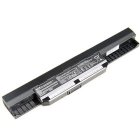
The battey life is also one important factor while considering a laptop. This laptop's battery life is excellent, considering its processor's speed and graphic performance, during the test, I did web browsing and some word processing on the laptop, and it last for more than 3 hours, with "Entertainment mode" turned on. The battery size is quite slim, n is located right under the screen. The only cons of the design is that when I remove the battery, it will leave a rectangular hole under the screen, which for me doesn't really affect the beauty of this laptop.
In the next part, I'll focus more on the laptop's  internal functions and performance. Thanks for reading :)